Roles and access
Each role gives access to specific CallUp modules.
| Role | Main modules |
|---|---|
| President | Dashboard, Members, Events, Call-ups, Line-up, Categories, Children, Club, Settings, Subscription (production, via Settings) |
| Manager | Dashboard, Members, Events, Call-ups, Line-up, Categories, Children, Settings |
| Player | Dashboard, Events (read), Call-ups (read), Line-up (read), Settings |
| Non-member parent | Dashboard, Events and Call-ups (for their children), Children, Settings |
Parental status : any member (President, Manager or Player) can be flagged as a "parent". A parent can be linked to one or more child profiles, view their own children and respond present/absent on their behalf. A non-member parent is an account created only to follow their children, without being a club member themselves. See Managing child profiles.
The dashboard
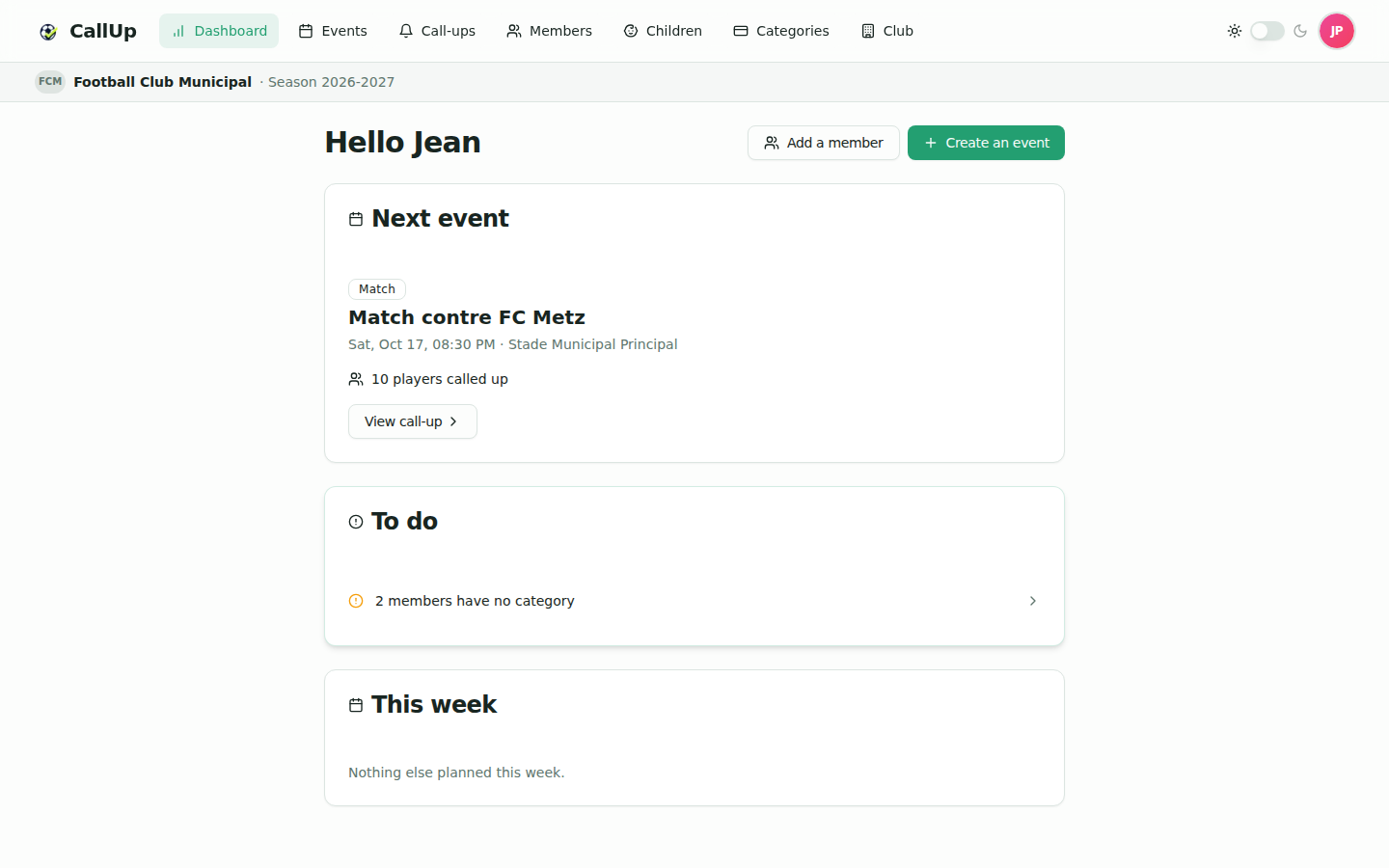
The dashboard is the application's entry point.
- The president and the manager see the same dashboard: next event, "To do" block and the week ahead.
- The player sees their call-up or next event, the events to confirm and their week.
- A parent gets a "Me" tab and one tab per child on the Events, Call-ups and dashboard pages; picking a child's tab shows that child's dashboard.
See Understanding the Dashboard.