Managing the line-up
The line-up lets you place the called-up players on the field. It is only available for a call-up linked to a match.
Who can do what?
- The president and the manager place players and designate the captain.
- Players and parents see the line-up read-only, directly on the call-up page, as soon as at least one player is placed.
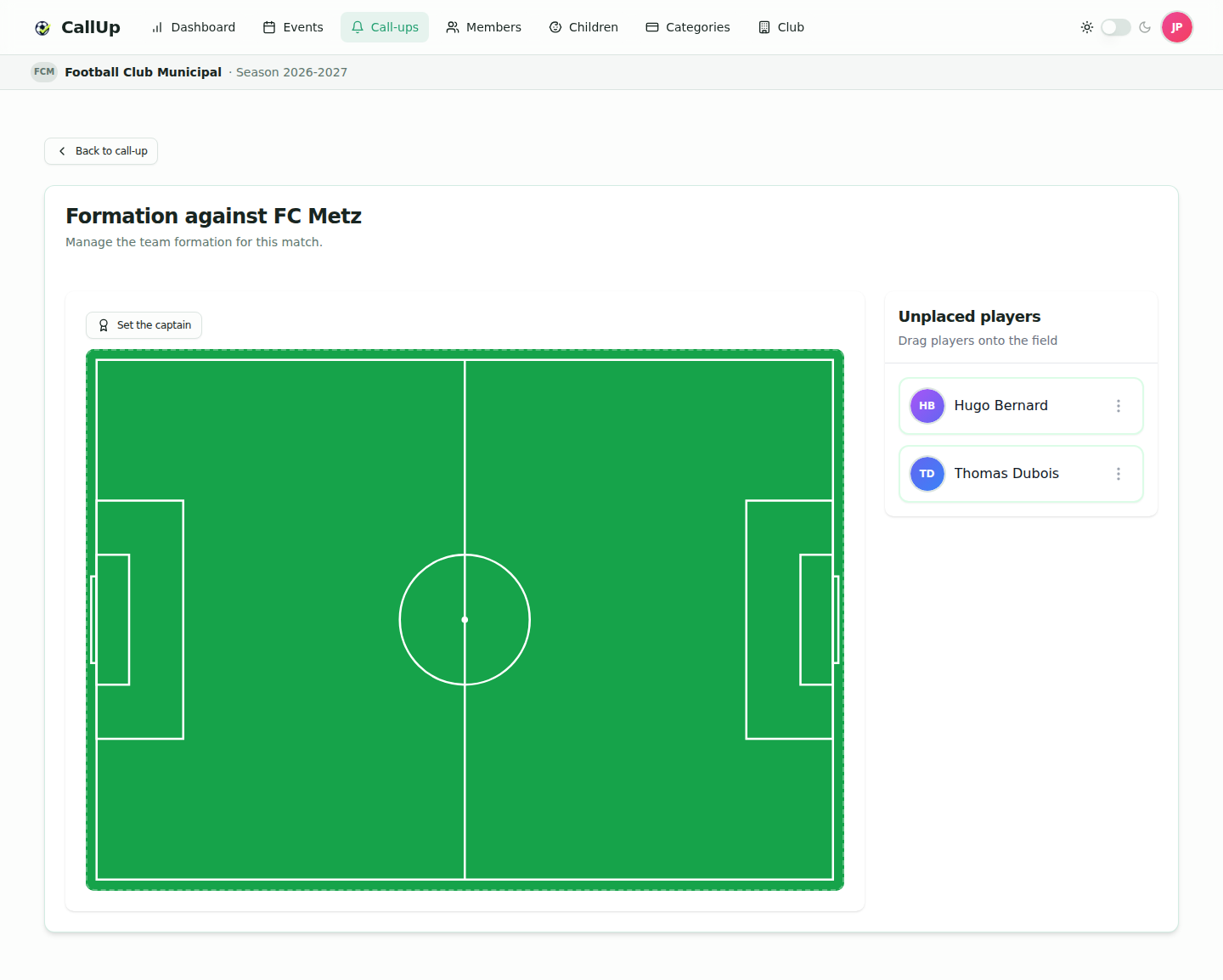
Opening the line-up
- Open the match call-up.
- Click "Manage formation" (only visible to the president and the manager).
- The field is shown next to the "Unplaced players" list. "Back to call-up" returns to the call-up page.
Placing players
- Drag a player from the "Unplaced players" list onto the field, where you want them. On mobile, press and hold the player, then drag.
- To adjust a position, drag the placed player to their new spot.
- To take a player off the field, drag them back onto the "Unplaced players" list.
- When everyone is on the field, the list shows "All players placed".
note
Every move is saved immediately: there is no "Save" button. Changes are synced in real time for everyone viewing the line-up or the call-up page.
Setting the captain
The president and the manager can designate a captain for the match, and change it at any time:
- On the field: click "Set the captain" (each player gets an animated dashed ring), then tap the chosen player. The mode closes automatically; "Cancel" exits without changing anything. Tapping the current captain in this mode removes their armband.
- From the unplaced players list: open the player's ⋮ menu, then "Set the captain" or "Remove armband".
- Only the captain shows a gold "C" badge.
- There is only one captain per call-up: designating a new one automatically removes the armband from the previous one.
- The choice is saved immediately and synced in real time. On their dashboard, the captain sees "You're the captain".
Things to know
note
- The line-up only exists for matches (not for trainings or "Other" events).
- Only players on the call-up can be placed: to add a player, edit the call-up first.
- The line-up remains visible after the match, on the call-up page.