Managing call-ups
The Call-ups module is writable by the president and the manager. Players and parents view the call-ups that concern them. A call-up is always linked to an existing event.
Creating a call-up
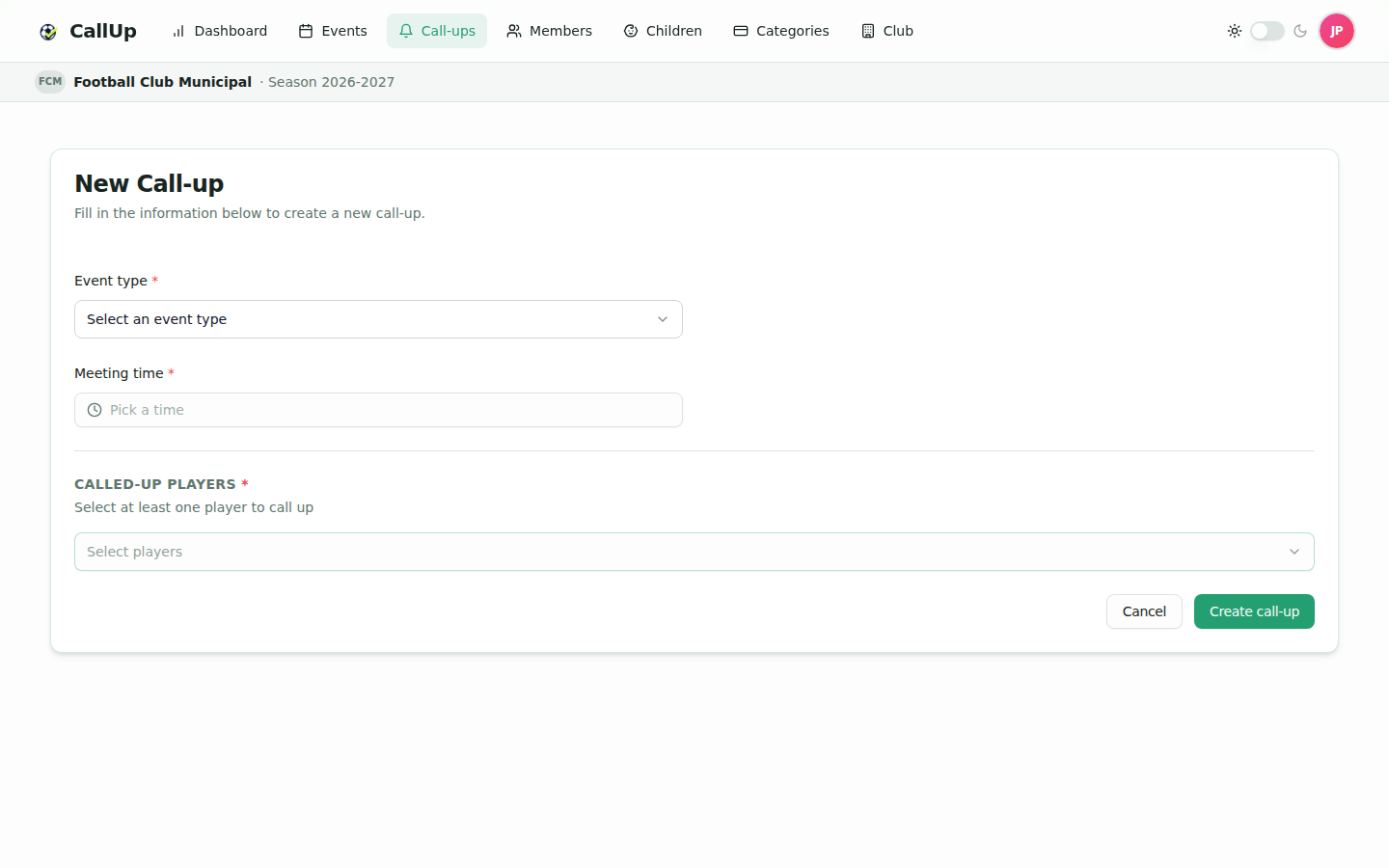
- Open Call-ups and click "New call-up".
- First choose the Event type, then the Event. If no event exists yet, the form says so and offers "Create an event".
- Set the Meeting time and the Ground (required for every call-up).
- For a match only, choose Home or Away and the Opponent (searched in the club directory). The opponent is optional, for a tournament. If it can't be found, click "Can't find the opponent? Type its name".
- Select the Called-up players (at least one).
- Click "Create call-up".
For the ground, CallUp suggests your club's grounds at home (the main ground is pre-selected) and, for an away match, the opponent's grounds: pick the opponent first. The chosen ground is shown on a map. If it can't be found in the directory, click "Can't find the ground? Type the place" and type its name: the map looks it up by itself in the host club's town. Otherwise, search its address in the map field.
The list of proposed players is computed automatically: it contains the members (and children) who answered present to the event, minus those already on another call-up for the same event. You can therefore create several call-ups for one event, for example one per team.
Called-up players (and the parents of called-up children) receive a push notification.
Call-up list
The call-up list has a search on the event title, a date filter (All, Upcoming, Past, Today, This week, This month) and an event type filter. By default, only Upcoming call-ups are shown: choose Past to find older ones.
Editing or deleting a call-up
- Edit: from the call-up list or via the Edit button at the top of the call-up page (president and manager); time, ground, Home / Away, opponent and player list. The event can no longer be changed once the call-up exists.
- Delete: from the call-up list; a confirmation is requested.
Viewing a call-up
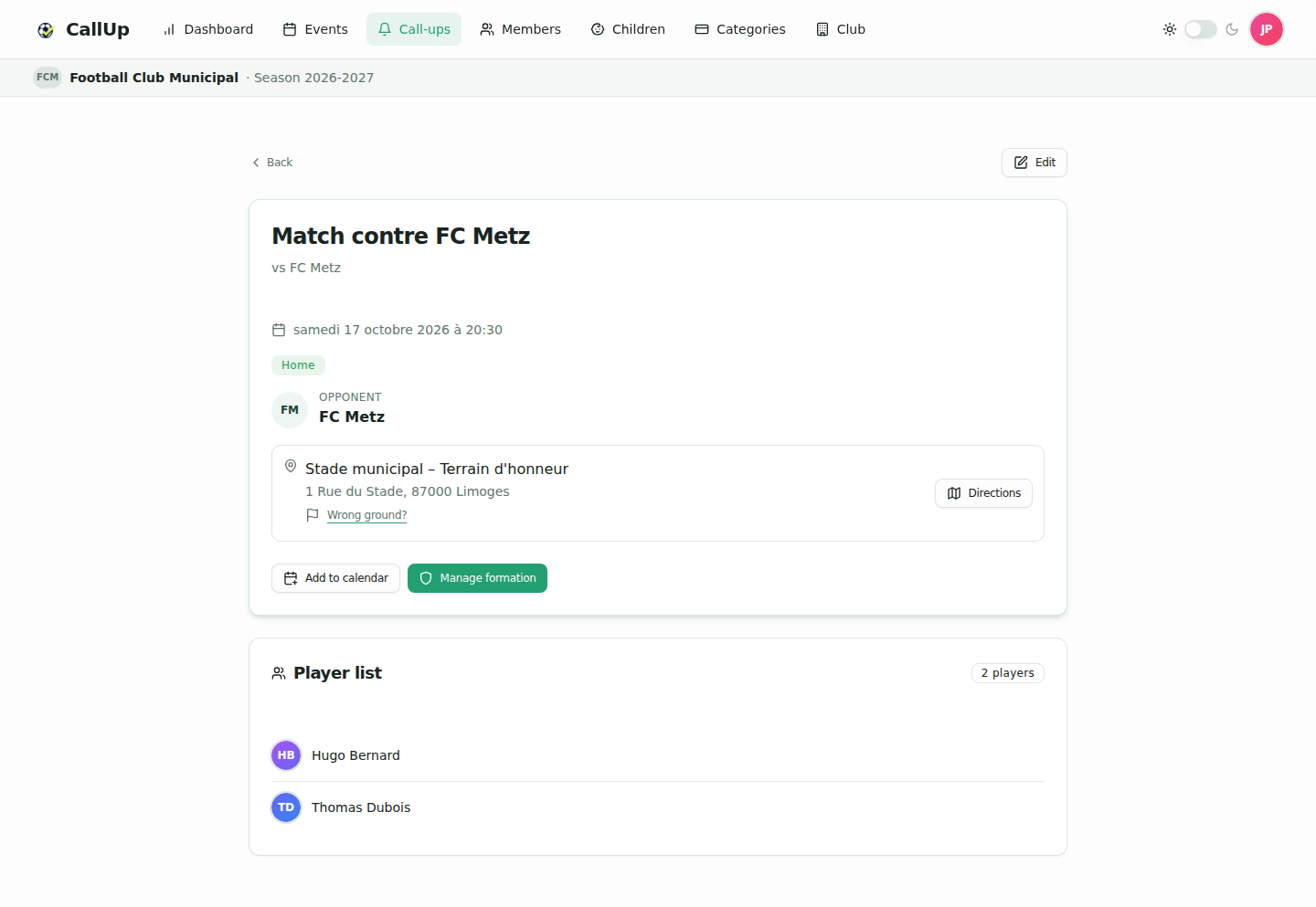
The call-up page shows:
- the event title and type, date and meeting time (or "Time to be confirmed");
- for a match, a Home or Away badge and the opponent with its logo;
- the ground with its address, the "Wrong ground?" link and a "Directions" button when the ground has a location;
- the Player list;
- for a match, the line-up read-only as soon as at least one player is placed on the field.
The president and the manager also get the "Manage formation" button (see Managing the line-up).
Reporting a wrong ground
If the ground shown for a call-up is not the right one, click "Wrong ground?" on the call-up page, then pick the right ground or describe it. Only a member of the club that created the call-up can report it. The report is checked by a CallUp administrator, who approves or rejects the correction. Once approved, the call-up is attached to the right ground; the ground record shared with other clubs is not modified.
Adding to a calendar
The "Add to calendar" button on the call-up page downloads an ICS file to import into an external calendar (Google Calendar, Outlook, Apple Calendar…).
The ICS file is a snapshot of the call-up at download time: if the location or time changes later, it is not updated. Download it again.