Managing club information
The Club module is reserved for the president.
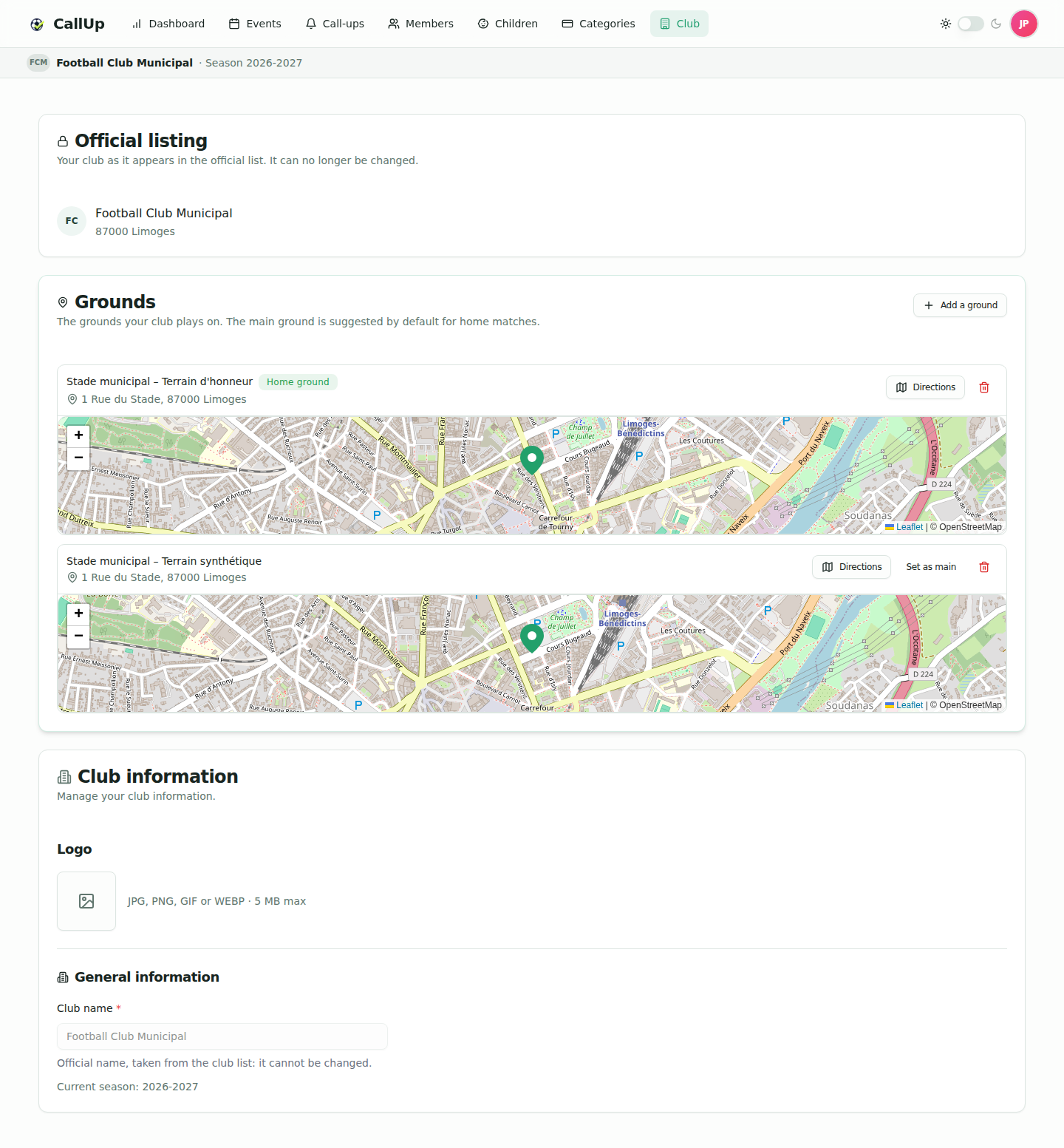
It centralizes the club's identity shared with members: club name, logo, official listing, grounds and current season.
What you can manage
The president can update:
- the club name displayed in the application and on call-ups. When the club comes from the official list, the name is taken from its record: the field is greyed out and cannot be changed. A club entered by hand keeps an editable name;
- the logo: picking a file (JPG, PNG, GIF or WEBP, 5 MB max) saves it immediately; a button removes it.
The page also shows "Current season: …", computed from the club's renewal date. It is not set from this page.
Official listing
CallUp relies on an official reference of clubs and grounds. The president links the club to its official listing.
- New clubs pick their listing during onboarding. If the club isn't there, "My club isn't in the list" lets you enter it by hand.
- A club linked to a record from the official list sees the "Official listing" card as read-only: the listing can no longer be changed.
- A club entered by hand can still use "Find my club in the list" to link to its official listing if it is there.
- A club not linked yet (registered before the reference data was introduced) shows the president a "Find your club" banner on the dashboard, with a "Find my club" button. On the Club page, the search opens directly.
A listing already used by another club registered on CallUp cannot be picked.
Grounds
Once the club is linked to its listing, the Grounds card lists the club's grounds. Without any ground, it says "No grounds yet."
- The "Add a ground" button, in the card header, opens the search in the reference data; "Cancel" closes it without adding anything.
- Each ground is shown as a card: name, address, map and a "Directions" button that opens GPS directions.
- "Set as main" picks the ground suggested by default for home matches; the bin icon removes a ground from the list.
- The first ground added becomes the main ground; removing the main ground hands it over to the next one.
- A club can have up to 20 grounds. A ground already linked to another registered club cannot be added.
Every change is saved immediately: there is no "Save" button.
Club banner
Under the application header, every member sees a banner with the club logo (or the club initials as a fallback), the club name and the current season. The season is computed automatically from the club's renewal date and rolls over on its own.
Best practices
- Keep the club name consistent with the official usage (federation, district, city hall) to avoid confusion with other clubs.
- Prefer a square logo for a sharp render in the banner.
- Centralize any identity change in this module: the other screens automatically use the up-to-date value.